A complete data center asset inventory covers nine categories including compute, storage, networking, physical infrastructure, power, cooling, safety/security, mobile support equipment, and software licenses, each broken into specific, individually trackable items. Most inventories fail not because a category is missing entirely, but because the sub-items inside a category (cabling, spare parts, firmware versions, tool carts) get left out.
Why a Simple List Isn't Enough
Ask most data center teams what they track, and you'll get an answer like “servers and switches.” That's true, but it's also the least useful place to start, because servers and switches are usually the equipment a team already tracks reasonably well. The gaps that cause audit failures, warranty disputes, and slow incident response almost always live in the categories nobody thinks to formalize. A few examples can be spare parts sitting in a cabinet, structured cabling nobody labeled, or a firmware version that was never recorded anywhere. A useful inventory isn't just a list of categories; it's a list specific enough that two different people checking the same rack would write down the same thing.
The Full Asset Inventory, by Category
Here's each category broken into the individual line items worth tracking separately, not just as a category label.
Compute
- Rack servers, blade servers, tower servers
- GPU and AI accelerator nodes
- Server chassis and blade enclosures
- Host firmware and BIOS/BMC versions
Storage
- SAN and NAS arrays
- Individual storage drives (by serial number, not just by array)
- Tape backup systems and tape cartridges
- Storage controllers and HBAs
Networking
- Core, aggregation, and top-of-rack switches
- Routers and firewalls
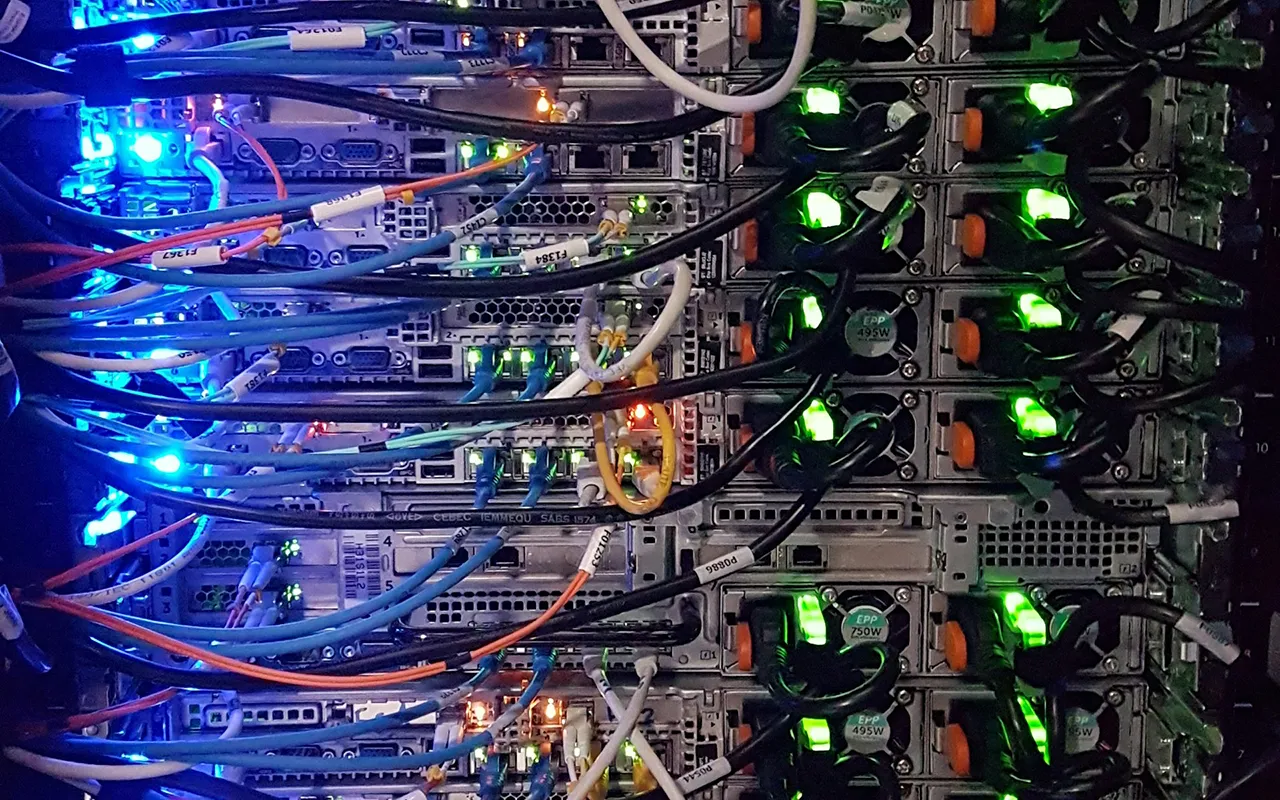
- Patch panels and structured cabling runs (often the single most under-tracked category in any facility)
- Transceivers and SFP modules
Physical Infrastructure
- Server racks and cabinets
- Raised floor tiles and containment panels
- Cable management hardware
- Rack PDUs (as distinct from facility-level power equipment)
Power
- UPS systems and UPS batteries (tracked separately, since batteries have their own replacement cycle)
- Generators and fuel systems
- Facility-level power distribution units (PDUs) and transfer switches
- Automatic transfer switches (ATS)
Cooling
- CRAC and CRAH units
- Liquid cooling manifolds and coolant distribution units (CDUs)
- Chillers and cooling towers
- In-row and rear-door cooling units
Safety and Security
- Fire suppression systems and gas cylinders
- Badge readers and access-control panels
- Surveillance cameras and recording hardware
- Environmental sensors tied to alarm systems
Mobile and Support Assets
- Tool carts and maintenance equipment
- Spare-parts inventory (drives, PSUs, cables, transceivers)
- Test and diagnostic equipment
- Laptops and handheld scanners used by staff (frequently missing from formal inventories entirely)
Software and Licenses
- Operating system and hypervisor licenses
- DCIM and monitoring software entitlements
- Firmware and driver version records tied to specific hardware assets
- Support and maintenance contract records
Critical vs. Non-Critical Assets: How to Prioritize Tracking
Not every item on that list deserves the same tracking effort. A practical way to prioritize is to sort assets into three tiers based on what happens if the asset goes missing or its record goes stale.
| Tier | Definition | Examples | |
|---|---|---|---|
| 1 | Tier 1: Mission-critical | Loss or drift causes an outage or safety issue | UPS systems, generators, core switches, fire suppression |
| 2 | Tier 2: Operationally important | Loss slows response or creates compliance risk | Servers, storage arrays, PDUs, access-control hardware |
| 3 | Tier 3: Lower urgency | Loss is inconvenient but not immediately damaging | Spare parts, tool carts, cabling runs, handheld scanners |
This tiering doesn't mean Tier 3 assets go untracked. Spare parts shrinkage and untracked cabling both cause real problems over time. It means Tier 1 and Tier 2 assets justify continuous, real-time tracking investment first, while Tier 3 assets can often start with periodic barcode audits.
What a Well-Structured Asset Record Should Include
Whatever system holds the inventory, whether a spreadsheet today or a DCIM/ITAM platform eventually, each asset record works better with a consistent set of fields:
| Field | Why It Matters | |
|---|---|---|
| 1 | Asset ID / tag number | Unique identifier that survives relocation and renaming |
| 2 | Category and sub-type | Enables reporting and prioritization by tier |
| 3 | Manufacturer, model, serial number | Required for warranty claims and recalls |
| 4 | Rack and U-position (or facility zone) | Enables fast physical location without a search |
| 5 | Owner / tenant (in multi-tenant facilities) | Critical in colocation environments with shared space |
| 6 | Install date and warranty expiration | Drives lifecycle and maintenance planning |
| 7 | Lifecycle stage | Distinguishes active, in-maintenance, and pending-decommission assets |
| 8 | Last verified / last audit date | Shows how current the record actually is |
Matching Asset Types to Tracking Technology
Different asset categories genuinely call for different tracking approaches. This isn't a one-size-fits-all decision, and AssetPulse's guide to RFID, BLE, and barcode technology covers the trade-offs in depth. As a starting reference for this inventory specifically:
| Asset Category | Typical Best-Fit Technology | |
|---|---|---|
| 1 | Racked compute, storage, networking | Passive RFID for bulk periodic reads; active RFID/BLE if real-time location matters |
| 2 | Power and cooling equipment | Barcode or passive RFID, paired with IoT condition sensors for environmental data |
| 3 | Structured cabling | Barcode labeling at both ends, since RFID reads on tightly bundled cable runs are unreliable |
| 4 | Spare parts and mobile tools | Barcode for low-cost, item-level tracking of a smaller, slower-moving population |
| 5 | Safety and security hardware | Barcode or RFID at installation, verified during scheduled compliance audits |
Common Inventory Gaps Teams Miss
- Batteries tracked as part of the UPS instead of on their own replacement schedule
- Structured cabling left completely unlabeled, so a “cable pull” becomes a two-person, hour-long search
- Spare parts stored informally in a technician's cart rather than in the asset register
- Firmware and driver versions recorded nowhere, which slows security patching and vulnerability response
- Handheld scanners and diagnostic tools: the equipment used to track everything else, often isn't tracked itself
Turning This List Into a Working Inventory
A category list like this one is the starting point, not the finish line. The next steps are prioritizing by criticality tier, standardizing the data fields above across every team that touches the register, and matching each category to a tracking technology that fits how often it moves and how dense it is. AssetPulse's complete guide to data center asset tracking walks through that full process, including how RFID, BLE, and barcode technologies work together across a real facility, and AssetPulse's IT and data center asset tracking solutions are built to apply exactly this kind of category-by-category approach in practice. Our breakdown of active vs. passive RFID covers which fits denser rack environments best.