Most buying teams start an asset tracking search the same way. They open a dozen vendor tabs, compare feature lists that look nearly identical, and end up choosing on price or a good demo. Months later, the software may be working as promised, yet the team still cannot find equipment reliably because the tracking method never matched the assets.
This guide shows you how to avoid that situation. It covers the technology choice that comes first and a weighted scorecard you can use on any vendor. It also explains what the software really costs and how to run a pilot that tells you the truth.
Quick answer
The right asset tracking software should match your assets and environment, integrate with your existing systems, and support the workflows your staff use every day. Score every vendor on nine criteria: tracking technology fit, deployment and site readiness, integration, security and compliance, scalability, reporting, usability, total cost of ownership, and vendor support. Then confirm the result with a pilot on your own assets before you sign.
What Does Asset Tracking Software Actually Do?
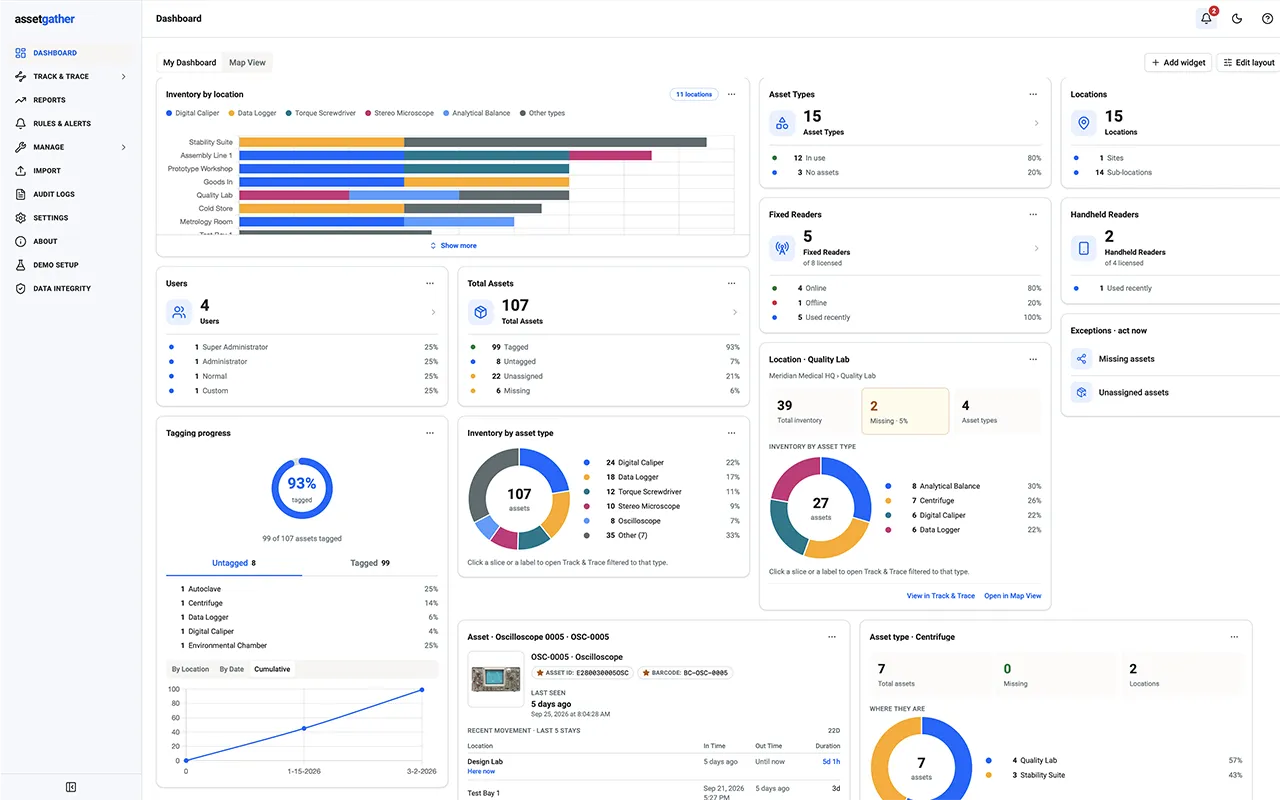
Asset tracking software keeps a live record of where each asset is, who has it, what condition it is in, and what has happened to it over time. It gets that information from barcode scans, RFID reads, Bluetooth Low Energy (BLE) beacons, GPS, or IoT sensors, then shows it on a central dashboard with alerts and reports.
That definition matters because the software is only as accurate as the data feeding it. A polished dashboard fed by manual scans and spreadsheets still gives you stale answers. Before you evaluate a single vendor, decide how your assets will be identified and located. That decision shapes everything that follows.
Which Tracking Technology Fits Your Assets?
Start with three questions. What are you tracking: tools, laptops, lab instruments, vehicles, samples? Where do those assets move: one room, one campus, or several sites? And how frequently do they change hands? The answers help identify the technologies worth evaluating and can reduce the vendor list more effectively than starting with a feature-by-feature comparison.
| Technology | How it identifies assets | Best suited to | Watch out for | |
|---|---|---|---|---|
| 1 | Barcode / QR | A scanner reads a printed label, one asset at a time | Low-cost tracking of items that are counted occasionally | Requires a scanner or camera to capture each label; labels can wear or become unreadable |
| 2 | RFID (passive UHF) | A reader can identify multiple tagged assets without requiring a direct visual scan | Frequent audits, high-value equipment, doorways and choke points | Metal and liquids can affect tag performance, so test on real assets |
| 3 | BLE beacons | Battery-powered tags periodically broadcast signals detected by nearby receivers | Indoor location tracking of mobile assets using nearby receivers or anchors | Battery life and per-tag cost at large volumes |
| 4 | GPS | Determines outdoor position from satellite signals, with the device typically transmitting location data over a cellular network | Vehicles and equipment moving across open areas | Higher cost per asset; weak indoors |
Most organizations do not need to pick just one. A hospital may use RFID for surgical trays and BLE for infusion pumps that roam between floors. A construction firm may combine RFID tool checkout with GPS on heavy equipment. If your requirements may span different environments, consider software that supports multiple tracking technologies so you can add or combine methods as those needs change. Our look at how BLE stacks up against RFID goes deeper on that pairing, and the complete guide to RFID technology explains how the components fit together.
How Do You Score Asset Tracking Software?
A scorecard keeps the decision consistent. Give each criterion a weight that reflects your priorities, score every vendor from 1 to 5, and convert each rating into weighted points. The weights below are a starting point for a typical enterprise, not an industry standard. A regulated lab might put more weight on security and compliance, while a multi-site operation might prioritize deployment and scalability.
| Criterion | Weight | What good looks like | Question to ask the vendor | |
|---|---|---|---|---|
| 1 | Tracking technology fit | 15 | Supports the method your assets need, plus room to add others | Which technologies do you support today, and can I mix them in one system? |
| 2 | Deployment and site readiness | 10 | Site survey, RF/read-zone planning, hardware placement, testing, and commissioning | Who performs the site survey, and how do you validate tracking accuracy before going live? |
| 3 | Integration | 15 | Documented connections to your ERP, CMMS, or ITSM tools | Which systems have you integrated with, and how long did it take? |
| 4 | Security and compliance | 15 | Role-based access, encryption, and a full audit trail | How do you record who changed an asset record, and when? |
| 5 | Scalability | 10 | Adds sites, users, and assets without a re-platform | What is the largest deployment you run, and what changed as it grew? |
| 6 | Reporting and analytics | 10 | Reports and alerts you can configure without a developer | Can my team configure a missing-asset or overdue-return alert without developer assistance? |
| 7 | Usability and mobile | 10 | Staff can tag, scan, and search from a phone or handheld, even offline | How long does it take a new user to complete a check-out? |
| 8 | Total cost of ownership | 10 | Clear pricing for software, hardware, services, and support | What is not included in the quote? |
| 9 | Vendor support and implementation | 5 | Named implementation lead, training, documentation, support response, and pilot process | Who handles deployment, and can we trial before committing? |
To use it, take a criterion's weight and multiply it by the vendor's score divided by five. For example, a vendor rated 4 out of 5 on a criterion weighted at 15 earns 12 points. Apply the same scoring definitions to every vendor to keep the comparison consistent. Add the weighted points to get a score out of 100. Use the result to structure the discussion, not as a substitute for a pilot. Record the reason for each rating so the buying team can revisit assumptions when vendors provide new information.
What Should You Check on Integration and Scalability?
Asset data becomes far more useful when it flows into the systems people already use. Maintenance teams want asset status inside the CMMS. Finance wants depreciation and location tied to the ERP. IT wants a single view across hardware and software records. Request a live look at one working integration rather than a slide. Our article on RFID integration explains the common approaches and what to expect.
Scalability deserves a specific question rather than a general promise. Ask what happens when you add a second site, triple the asset count, or add a new tracking method. The answer should ideally be a configuration change, not a new implementation project.
Which Features Matter When You See the Demo?
Vendor demos typically focus on the product's strengths, so bring a short list of tasks and ask the vendor to perform them live:
- Find a specific asset and show its location history.
- Check an asset out to a person and flag it when it is overdue.
- Run an inventory count and reconcile it against the asset register.
- Trigger an alert when an asset leaves an approved area.
- Build a report for an audit without exporting to a spreadsheet.
- Complete the same tasks from a phone or handheld with no network connection.
If a vendor cannot perform these tasks live, ask why and what workaround would be required. Real-time visibility becomes more useful when the software turns location data into alerts, records, and workflows your team can act on.
How Much Does Asset Tracking Software Really Cost?
The subscription or license fee is only part of the bill. Our RFID system cost guide uses approximately $5,000 as an example of a basic deployment, while multi-site projects with integration can reach $250,000 or more. The cost guide gives indicative ranges of $1,000 to $4,500 for handheld readers, $2,000 to $8,000 for fixed readers, and from less than $0.10 to $10 or more for passive tags, depending on the tag type and application. Those figures are indicative and shift with quantity, environment, and scope.
When you compare quotes, ask each vendor to price the same scenario and list what sits outside it. Common gaps include integration work, installation and tuning of fixed readers, replacement tags, training, and annual support. Then set the total against what the problem costs you today. Count the assets you replace because you could not find them, the hours spent on manual counts, and the audit findings caused by missing records. Once you quantify those costs, you have the main inputs for an ROI calculation. Add implementation, hardware, software, integration, and ongoing support costs for a complete comparison.
What Security and Compliance Questions Should You Consider?
Asset records often describe sensitive equipment, so treat the software like any other business system. Confirm that it uses role-based access so people see only what they need. Check that it encrypts data in transit and at rest and keeps an audit trail of every change to an asset record. The exact controls you require should reflect your organization's security policies and regulatory obligations.
If you work in a regulated industry such as life sciences, healthcare, aerospace, or pharmaceuticals, ask how the vendor supports the records your auditors expect. Ask to see an example audit report rather than accepting a statement that the product is compliant. Compliance depends on how the system is configured and used, so your own quality team should review it before you commit.
How Should You Test the Software Before You Buy?
A pilot is one of the most effective ways to uncover deployment problems before a full rollout. It is also a step some buying teams skip. Pick one area that includes your hardest assets, such as items on metal shelving or stored near liquids. Agree on success measures in advance: read accuracy, time to complete a count, and how many staff use it without prompting.
- Define two or three measurable goals for the pilot.
- Tag a representative sample of assets, including the awkward ones.
- Run the daily tasks from your demo list for several weeks.
- Compare the results with your goals and with your current process.
- Decide whether to expand, adjust the setup, or walk away.
If you are replacing an older system, plan the data migration early. Clean up asset names, duplicates, and missing locations before import so the old system's errors do not follow you into the new one. Budget for training as well. Training should cover the actual routines users will follow, not just the software interface. A technically capable system can still underperform if staff do not consistently follow the required workflows.
What Are the Red Flags When Comparing Vendors?
- The vendor supports only one tracking method and steers every answer toward it.
- Pricing stays vague until late in the process.
- There is no trial, pilot, or rental option.
- The vendor describes integration only in general terms, with no named examples.
- The product tracks assets but offers no alerts, audit history, or workflow.
- References come only from environments unlike yours.
How Does AssetGather Measure Up Against This Scorecard?
Apply the same scorecard to AssetGather and verify each capability against your requirements. Here is how AssetGather maps to the same criteria, based on the platform's documented capabilities.
- Technology fit: It supports active and passive RFID, BLE, barcode, GPS, and IoT sensors in one platform. This allows organizations to combine different tracking methods within the same platform as their requirements evolve.
- Deployment and mobile: AssetGather is available as cloud-hosted software or an on-premises deployment. The AssetGather Server includes the handheld and smartphone applications. The applications share one asset database and can work offline, then sync later.
- Integration: It connects to ERP, CMMS, and other enterprise systems.
- Security and reporting: It offers multi-level, role-based access, customizable dashboards and reporting, full asset history, rules-based alerts and notifications, and utilization analytics.
- Vendor support: Trial rental options include readers and tags, so you can test with your own equipment first.
AssetPulse has been building asset tracking solutions since 2005, including solutions for regulated industries such as healthcare, life sciences, pharmaceuticals, and aerospace. If you want to see the platform against your own scorecard, read more about the AssetGather platform or schedule a free consultation.
Choosing asset tracking software is less about finding the platform with the longest feature list and more about matching the tracking method, deployment model, integrations, workflows, and total cost to your operation. Use the scorecard to compare vendors, test the important workflows in a pilot, and verify the results on your own assets before committing to a rollout.